
Smallworld PNI (Physical Network Inventory) is the GE Vernova Smallworld product that records a telecom or fibre network’s physical assets on a map. It models inside and outside plant, from rack ports to ducts and cables, in one database. As a result, operators can plan, build and run FTTx networks from one record linked to OSS and BSS tools.
- Smallworld PNI is the physical layer of the GE Vernova Smallworld Network Inventory portfolio, now sold as Smallworld Network Inventory for Telecom.
- It holds inside and outside plant in one model, so a fibre path can run from an exchange port to a customer premises.
- For FTTx, a rules-based design engine and the FTTH module help planners produce least-cost designs faster than by hand.
- Open APIs and a plug-in design let PNI feed logical inventory, ERP, fulfilment and service assurance tools.
- Finally, data migration into PNI succeeds when teams clean, map and test connectivity before they load the data.
What is Smallworld PNI and what is it called today?
Smallworld PNI is the GE Vernova Smallworld product for physical network inventory in telecom. In short, it records every physical asset in a network, from cables and ducts to racks and ports, against a map.
However, the name has shifted over time, so it helps to be clear. Back in 2013, GE listed Physical Network Inventory as one part of its Smallworld Network Inventory portfolio. That portfolio also held Logical Network Inventory, Network Inventory Gateway, Fiber-to-the-Home and Physical Resource Assignment. Today, GE Vernova markets the offer as Smallworld Network Inventory for Telecom. But its own 2025 FTTx article still uses the name Smallworld GNM Physical Network Inventory. So most teams still say PNI for the physical layer.
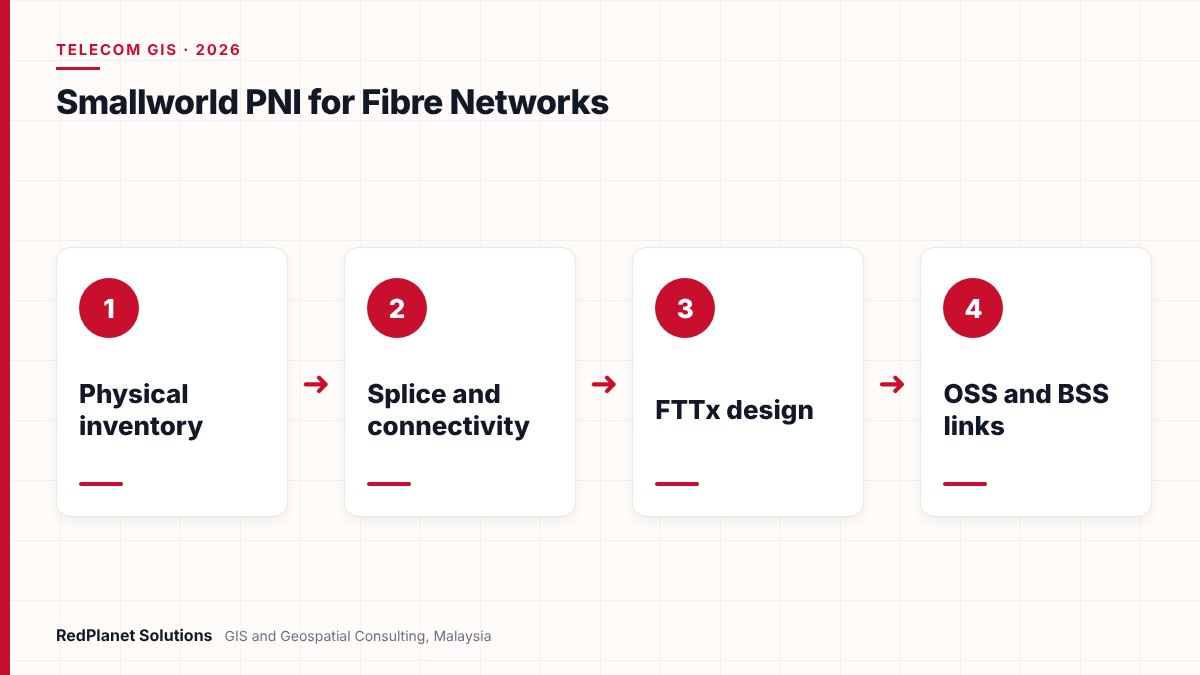
For context, Smallworld itself began in Cambridge, England, in 1989, and GE bought it in 2000. Also, the same core technology runs the GE Vernova Smallworld products for electric, gas and water networks. As a result, a utility can run its power network and its own fibre network on one platform.
What does Smallworld PNI record in a physical network inventory?
Smallworld PNI records the whole physical network, both inside plant and outside plant, in one model. That means a single record can follow a fibre from an equipment port in a rack, out through the street and into a customer premises.
A GE white paper describes how PNI models the network from the customer premises, through distribution and into the core transport network. In addition, it supports equipment from many vendors and many communication types. For instance, utility telecom material from GE lists fibre, microwave, copper and wireless mesh as supported physical layers.
Outside plant
First, routes, ducts, poles, manholes, cables and joint closures, all placed on the map.
Inside plant
Buildings, rooms, racks, shelves, cards and ports inside exchanges and cabinets.
Connectivity
Splices, patches, jumpers and splitter links that join each fibre end to end.
Spare capacity
Free fibres, ports and duct space that planners can reuse before they build new.
Because all of this sits in one database, the inventory becomes the single source of truth for planning and operations. For example, GE Vernova says AWS used Smallworld Network Inventory to build one global view of its fibre network. In addition, AWS engineers use route models to find spare capacity in existing assets, so they avoid needless new builds.
How does Smallworld PNI handle splicing and fibre connectivity?
Smallworld PNI stores the connections between fibres, ports and splitters, so the system can trace a full physical path. Then reports and paths come straight from that connected model, not from separate drawings.
According to the GE white paper on next generation access networks, the Physical Resource Assignment product can build a path between two ports. For example, it can link an OLT port to an ONT port through jumpers, cross-connects and splitters. It relies on the network data in PNI to do this. Also, the PNI Report Pack can produce splice reports for field teams.
Why does connectivity matter so much?
- Fault finding: GE describes APIs that use OTDR readings to locate a fibre break and return a route map or break coordinates.
- Service checks: a connected model shows which customers sit behind a cable, splitter or closure.
- Diversity: GE added physical diversity checks in 2013, so operators can confirm that two routes do not share a duct.
- Capacity: free fibres and ports only show up if every splice and patch is on record.
However, all of this depends on good data. If one splice is missing, a trace stops short and the record looks broken. So connectivity checks should form part of every GIS QA/QC cycle, not just the first load.
How does Smallworld PNI support FTTx network design?
Smallworld PNI supports FTTx with a rules-based design engine and an FTTH module that automate much of the layout work. As a result, planners spend less time drawing, so they gain time for checking local site conditions.
In its article on GIS network inventory for FTTx design, GE Vernova says the engine produces least-cost designs that follow the operator’s own rules. Also, teams can tune those rules without changing the software. GE Vernova claims productivity gains of up to 80 percent and construction savings of up to 10 percent. Treat these as vendor figures, though, because results depend on data quality and local rules.
Plan the area
First, load addresses, existing ducts, poles and wholesale assets for the target area.
Run the design engine
Next, let the rules produce a first least-cost layout for cabinets, splitters and drops.
Check on site
Then take the design to a tablet or phone, adjust cabinet spots and road crossings, and send markups back.
Issue build packs
After that, produce the bill of materials, schematics and cable pulling diagrams from the model.
Record as built
Finally, reconcile field changes so the inventory matches what crews actually installed.
In addition, design versions matter for large rollouts. For instance, GE Vernova says AWS uses design versions and a state model to reserve routes before construction ends. That way, two design teams cannot claim the same duct or fibre.
How does Smallworld PNI integrate with OSS and BSS systems?
Smallworld PNI connects to OSS and BSS tools through open APIs, standard data access and a plug-in design. So the physical record can feed service fulfilment, service assurance and ERP processes instead of sitting alone.
GE’s white paper names several past links. For example, these include SAP for plan and build, IBM Tivoli Netcool for service assurance, and Oracle Siebel for service qualification. It also names Amdocs Cramer and Oracle Metasolv for service fulfilment. Also, operators can place Smallworld Logical Network Inventory on top of PNI, or link a third-party logical inventory instead.
| System | What it takes from PNI | Key check |
|---|---|---|
| Logical inventory | Physical paths and ports. | Each circuit maps to a real path. |
| Fulfilment | Spare fibres and ports. | Reserved items stay reserved. |
| Assurance | Routes and customers per cable. | Fault impact lists are complete. |
| ERP | Asset IDs and build costs. | Each asset keeps its ERP record. |
| Work management | Design packs and status. | Jobs close with as-built data. |
However, every link is only as good as its shared keys. For example, if a port ID changes in PNI but not in the fulfilment tool, orders fail. Therefore, agree ID rules early and test each link with real orders before go-live.
Planning an inventory rollout or link project on Smallworld? Our telecom GIS team can review your options.
Talk To Our Consultants →Can utilities use Smallworld PNI for their own telecom networks?
Yes. Many utilities run private fibre and microwave links for protection, SCADA and corporate traffic, and Smallworld PNI can record them. In fact, GE material describes an Asia Pacific national electricity provider that links PNI to Smallworld Electric Office.
This pairing helps, because utility fibre often shares routes with power assets. For instance, a fibre may run along the same towers or trenches as a cable. So when both models share one platform, planners can see how a power fault might affect a telecom link. Our guide to GIS for electric, water, gas and telecom utilities covers this shared view in more depth.
You are a fibre operator with a large FTTx rollout.
Use PNI with the FTTH design tools and strong links to fulfilment.
You are a utility already on Smallworld Electric Office.
Add PNI for your private telecom network on the same platform.
You run another GIS for power but need telecom inventory.
Compare options with care, and read our Smallworld Electric Office vs ArcGIS Utility Network guide first.
Your fibre records sit in CAD files and spreadsheets.
Plan a data capture and migration phase before you choose a tool.
In Malaysia, fibre growth makes this more pressing. For example, Bernama reported in August 2025 that JENDELA had brought fibre access to 9.48 million premises. It also reported that 1,468 of 3,693 planned Phase 2 points of presence were complete. As a result, both operators and utilities with fibre assets need records that keep pace with the build.
How do you migrate network data into Smallworld PNI?
Migrating data into Smallworld PNI means turning old maps, CAD files, spreadsheets and other inventories into one connected model. But the hard part is not geometry. Instead, it is rebuilding the splices, ports and paths so that traces work.
Also, migration is a common part of Smallworld telecom projects. For instance, SSE Telecoms in the UK chose Smallworld Network Inventory in 2010 to bring several data sources into one central database. Later, GE Vernova reported that Norlys in Denmark would use Smallworld as a joint record for its merged fibre network, with network data migration in scope.
Profile first
First, count gaps, duplicate cables, missing splices and broken paths before you design the load.
Map to the catalogue
Match every source cable, closure and rack type to a catalogue item in the target model.
Test with traces
Judge each trial load by sample traces from exchange to customer, not by feature counts alone.
Next, automate the loads so each trial run is the same. Safe Software lists a Smallworld 4/5 format in FME that both reads and writes data. So as an authorised FME partner, we often build repeatable workspaces through our FME services. Our wider GIS data migration work covers mapping, cleansing and sign-off.
Loading geometry only
For instance, cables on a map without splices give a picture, not an inventory.
Skipping field checks
Old splice sheets are often wrong, so verify key closures on site before go-live.
One-off scripts
Manual fixes make each trial different, but repeatable flows keep results comparable.
Late link tests
If you test OSS links only at the end, ID problems appear when time has run out.
Also, plan how field crews will keep data current after go-live. Our article on mobile GIS field data collection explains how as-built changes flow back from site. If you already run an older Smallworld release, our Smallworld migration planning guide sets out the upgrade path.
In our experience, a fibre inventory earns trust when the first trace a planner runs reaches the right customer. So we test connectivity on every trial load, not just at the end.RedPlanet Solutions
Frequently Asked Questions
What does PNI stand for in Smallworld?
PNI stands for Physical Network Inventory. It is the part of the GE Vernova Smallworld Network Inventory portfolio that records physical telecom assets such as cables, ducts, racks and ports on a map. Logical Network Inventory, or LNI, sits on top of it and records circuits and services. Today, GE Vernova markets the offer as Smallworld Network Inventory for Telecom.
Is Smallworld PNI only for telecom operators?
No. Telecom and fibre operators are the main users, but utilities also use PNI for their private telecom networks. For example, GE material describes an Asia Pacific electricity provider that links PNI to Smallworld Electric Office. So a utility can manage its power network and its fibre network on one platform, which helps when both share routes.
Does Smallworld PNI support FTTH and FTTx design?
Yes. GE Vernova describes a rules-based design engine that produces least-cost FTTx layouts, and an FTTH module that extends PNI with automated design. Planners can tune the rules without changing the software. They can also take designs to site on mobile devices, adjust them and send markups back to the office before build packs go out.
Can Smallworld PNI connect to OSS and BSS systems?
Yes. GE describes open APIs, standard data access and a plug-in design for integration. Past examples include SAP, IBM Tivoli Netcool, Oracle Siebel, Amdocs Cramer and Oracle Metasolv. However, every link depends on stable shared IDs. So agree ID rules early and test each link with real orders before you go live.
Can Smallworld Network Inventory run in the cloud?
Yes. GE Vernova lists Smallworld Network Inventory for Telecom as a software as a service offer on cloud marketplaces. It also reports that AWS runs the product in AWS cloud services with failover and disaster recovery. However, check data residency rules for your market before you choose a hosting model.
How long does a data migration into Smallworld PNI take?
It depends on network size, source data quality and how many splices and ports need rebuilding. Clean digital records move faster than paper splice sheets. So plan by phase gates, such as profiling, mapping, trial loads and link tests, rather than a fixed date. Our data migration team can scope your case.
Is Smallworld PNI the right inventory for your telecom or fibre network?
Smallworld PNI suits operators and utilities that need one connected record of inside and outside plant. It also fits well where FTTx design, OSS links and an existing Smallworld estate all matter. However, it only delivers value when the splice and port data behind it is complete.
So start with an honest review of your current records. Next, decide which OSS and BSS links matter most. Then plan a migration that tests traces on every load. Finally, set up field updates so the inventory stays true after go-live. To see how we support operators, visit our telecom GIS services page.
Expert Guides
Related GIS Guides
 GuideGE Smallworld Migration Planning: Moving to a Modern Utility Network ModelPlan a Smallworld migration with confidence: upgrade or replatform options, data model mapping, FME, integration testing, cutover steps and key risks.Read the guide →
 GuideGIS for Utilities: How Electric, Water, Gas and Telecom Networks Use GISGIS for utilities explained: how electric, water, gas and telecom networks use GIS, shared data models, OMS, SCADA and ERP links, and platform choice.Read the guide →
Build a Fibre Inventory Your Planners Can Trust
RedPlanet Solutions helps telecom operators and utilities plan Smallworld inventory projects, migrate and clean network data, and test OSS and BSS links before go-live. Talk to us about your fibre network.
Talk To Our GIS Consultants
PK Senthilkumar is CEO of RedPlanet Solutions. His work focuses on GIS consulting, network-based GIS for utilities, enterprise GIS modernisation and practical spatial decision-making for organisations operating across Malaysia, India, Australia and international markets.
About RedPlanet Solutions
RedPlanet Solutions (M) Sdn Bhd is a Malaysia-based GIS consulting and geospatial services company and part of RedPlanet Berhad. The company delivers GIS for electric utilities, spatial data collection, drone surveying, mobile mapping and GIS software development to utilities, government agencies, smart cities and private sector organisations across Southeast Asia, the Middle East, Australia and beyond. RedPlanet works across leading commercial and open-source GIS ecosystems, including GE Vernova Smallworld, Esri, Hexagon, SuperMap, QGIS, GeoServer and FME.